
info@andornot.com
1-866-266-2525
Who better to help you manage and search information than a company of Librarians and Software Developers?




As librarians, we have an in-depth understanding of information architecture, optimizing access through the use of controlled vocabularies and data validation, and end-user interface design.
As developers and techies, we love choosing or creating software to meet the unique needs of each client. We take pride in creating solutions for every budget, large and small, and for every information management need.
Whether it's commercial off-the-shelf software, open source or something we develop just for you, we'll find the right application to help you manage and search information.
And we can host it for you too, in our Canadian data centre.
Check out some of the libraries, archives, museums and other organizations we've helped recently.
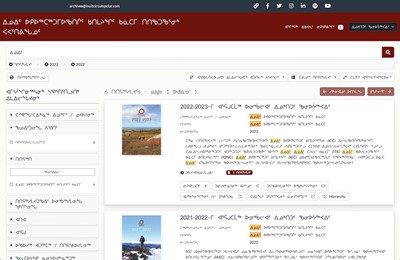
Andornot provided ICC Canada archivists with data management systems and a public search interface for archival, artifactual and library collections, with information entered and searchable in two languages and three scripts (character sets): English Inuktitut (Roman Orthography) and Inuktitut Syllabic).
View Project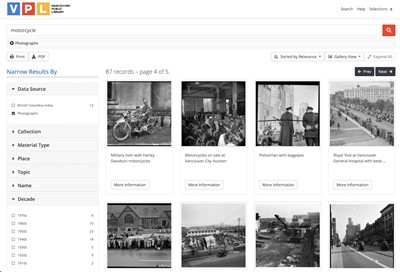
The Vancouver Public Library's Special Collections Division manages a variety of local history collections. Several of these are now searchable through an instance of our Andornot Discovery Interface.
View Project
Over 35,000 archival descriptions, fine art, historic artifacts, and photographs that tell the story of West Vancouver are now searchable together through a single interface.
View ProjectAndornot offers flexible, scaleable and above all, practical software and solutions for organizing, managing and searching information.
We offer ready-made solutions for:
We recommend software for searching and managing information such as:
But, we are curious people and we love a challenge, so bring us your data, your software, your problems and your questions. Let us find a solution for you!
Learn More
Andornot has offered professionally managed hosting services from our Canadian data centre for over 25 years.

In a cloud, in an unknown location? Is it difficult to obtain support for your application from your own IT group? Are your servers slow or due for replacement? Why not let Andornot help by having us host your data and applications?
Let Us Help You!
We're Librarians - We Love to Help People